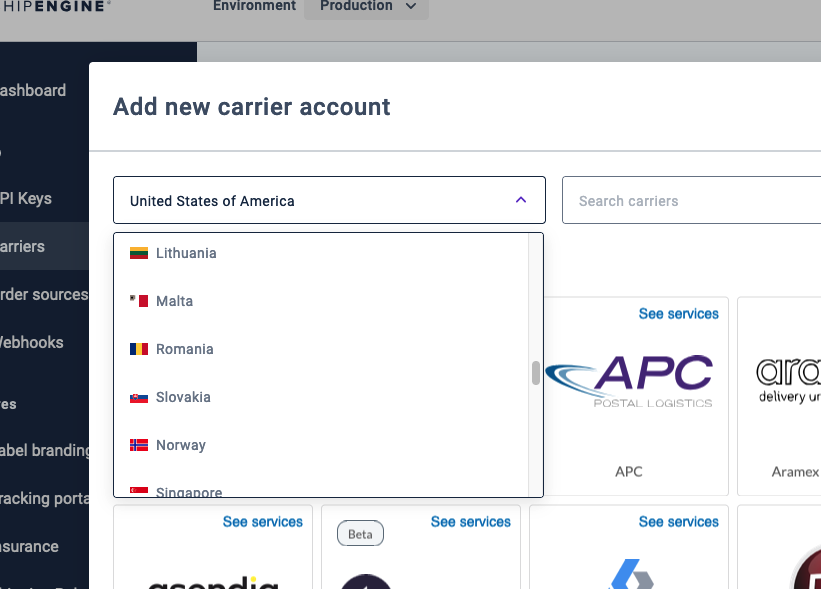
ShipStation API integrates with 100+ carriers from all over the world. However, most shippers use a limited selection of carriers that service specific countries. If you'd like to set which country's carriers your customers can connect in the carrier connection screen, you can do so by using the themes endpoint.
The themes endpoint allows you to customize your customer's onboarding experience and determine which country's carriers will be available for your customers to connect to.
If you haven't created a theme yet, you'll need to do so. If you want to edit a theme you've already created, you'll use the method to edit a theme instead.
Add the carriers object to your request with the connect_country_codes property. The values for the connect_country_codes property will be the two-letter ISO 3166-1 country code starting with the country code of the account, and then adding any other country codes you wish to include.
In the examples below, 'ACCOUNT_ORIGIN_COUNTRY_CODE' means the country code of the account. For example, if the account is based in the United States, the first country code in the value list will be "US".
TIP:
You can include the
carriers.connect_country_codesproperty when creating or editing a theme to customize your customer onboarding experience!
Go to our Theme Endpoint Reference page for a full list of properties available for the themes endpoint and their descriptions.
POST /v1/partners/themes
POST /v1/partners/themes HTTP/1.1
Host: api.shipengine.com
API-Key: __PARTNER_API_KEY_HERE__
Content-Type: application/json

{
  "name": "My theme",
  "brand": "Auctane brand",
  "carriers": {
    "connect_country_codes": ["ACCOUNT_ORIGIN_COUNTRY_CODE", "GB","ES"]
  }
}
Create Theme Example Response
{
  "theme_id": "550e8400-e29b-41d4-a716-446655440000",
  "name": "My theme",
  "brand": "Auctane brand",
  "carriers": {
    "connect_country_codes": ["ACCOUNT_ORIGIN_COUNTRY_CODE", "GB","ES"]
  },
  "created_at": "2024-01-25T03:06:20.933Z",
  "modified_at": "2024-01-25T03:06:20.933Z",
}When you create a theme, the response will include a theme_id. You can then use the ID to make edits to your existing theme(s).
PATCH /v1/partners/themes/{themeID}
PATCH /v1/partners/themes/550e8400-e29b-41d4-a716-446655440000 HTTP/1.1
Host: api.shipengine.com
API-Key: __PARTNER_API_KEY_HERE__
Content-Type: application/json

{
  "carriers": {
    "connect_country_codes": ["ACCOUNT_ORIGIN_COUNTRY_CODE", "GB","ES"]
  },
}
The response will return your theme_id and the current values for each property in that theme.
Using the above examples, the carriers available to your customer in the carrier connection screen will be countries available for that account's home country, Great Britain, and Spain. Carriers that service only other countries will be hidden.